# Advanced E-commerce Platform in Laravel 12
### Demo page: https://e-comm.mk
## 📋 Table of Contents
- [🚀 Features](#features)
- [Frontend](#frontend)
- [Admin Dashboard](#admin-dashboard)
- [User Dashboard](#user-dashboard)
- [Security & Performance](#security--performance)
- [AI & Automation](#ai--automation)
- [🆕 Recent Enhancements](#recent-enhancements)
- [📸 Screenshots](#screenshots)
- [🚀 Installation & Setup](#installation--setup)
- [🐳 Docker Setup](#docker-setup)
- [🛠️ Management Commands](#management-commands)
- [🏢 Multi-Tenant Functionality](#multi-tenant-functionality)
- [🤖 OpenAI Integration](#openai-integration)
- [📚 Documentation & Guides](#documentation--guides)
- [🎯 Getting Started](#getting-started)
- [🤝 Contributing](#contributing)
- [📄 License](#license)
## Features
### Frontend
- **Responsive Layout** with modern UI/UX design
- **Advanced Search** with Elasticsearch integration
- **Shopping Cart & Wishlist** with real-time updates
- **Product Reviews & Ratings** system
- **Coupons & Discounts** management
- **Product Attributes**: cost price, promotion price, stock, size, variants
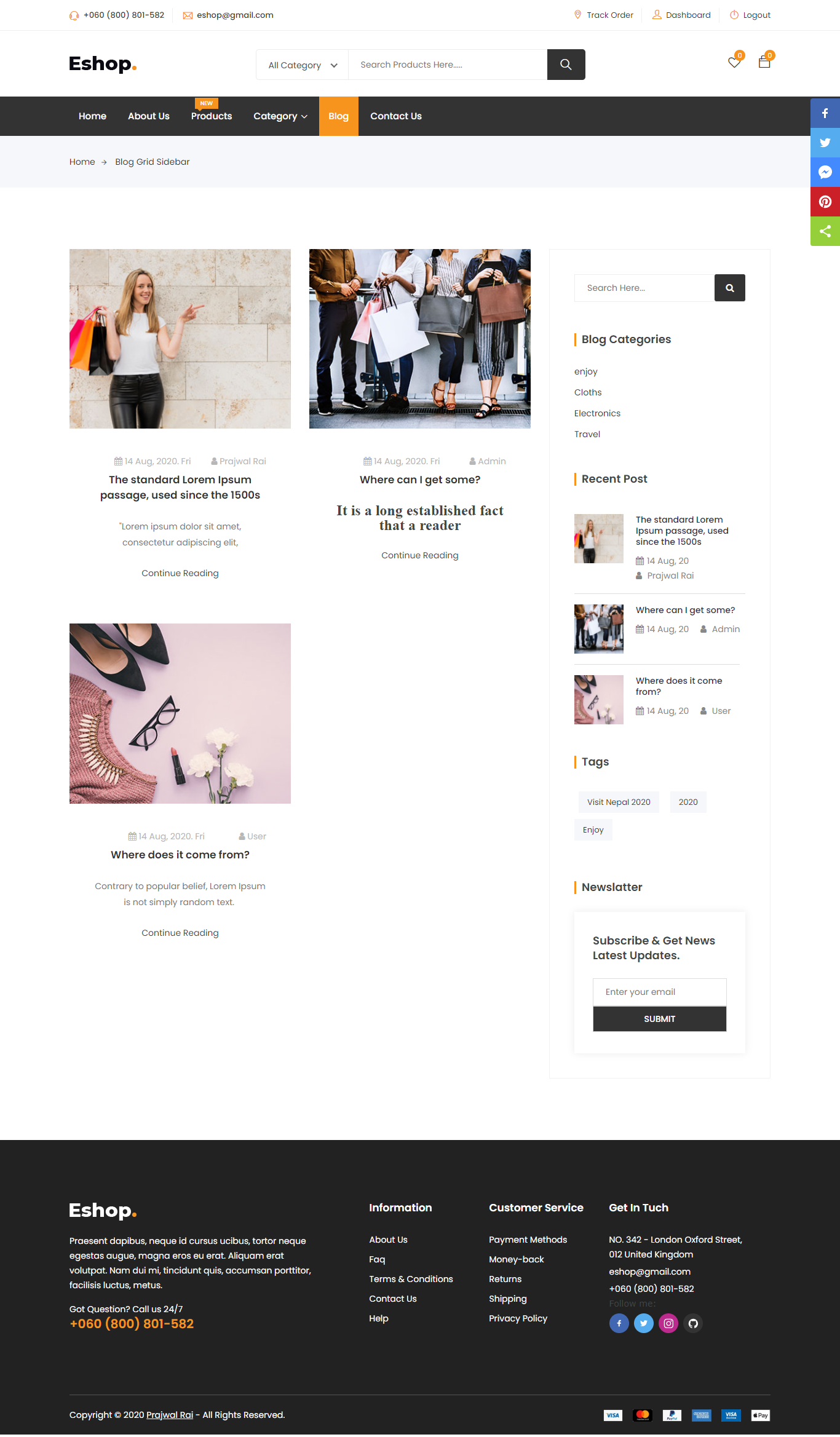
- **Blog System**: categories, tags, content management
- **Module/Extension System**: Shipping, payment, discount modules
- **Media Manager**: banner, images, file uploads
- **Bundles Module** for product grouping
- **Advanced SEO Support**:
- Dynamic meta tags and Open Graph
- Structured data (Schema.org)
- XML sitemaps generation
- SEO-friendly URLs
- Performance optimization
- **Email Marketing Integration**:
- Newsletter campaigns with segmentation
- Abandoned cart email sequences (3-email automation)
- Email analytics tracking (opens, clicks, bounces)
- Automated email processing
- **Contact Forms** with real-time notifications (Laravel Pusher)
- **AI-Powered Recommendations** system
- **Advanced Product Search** with filters
- **Social Media Integration**:
- Laravel Socialite (Facebook, Google, Twitter)
- Social login and sharing
- Social media product sharing
- **Payment Integration**: PayPal, Stripe, Casys
- **Multi-level Comment System**
- **User Behavior Tracking** and analytics
- **Performance Monitoring** and optimization
### Admin Dashboard
- **Advanced Analytics Dashboard**:
- Interactive charts and graphs (Chart.js)
- Sales reports and revenue tracking
- User behavior analytics
- Real-time performance monitoring
- Export functionality for reports
- **User & Role Management**:
- Admin roles and permissions
- User management with advanced filtering
- Role-based access control
- User impersonation
- **Product Management**:
- Comprehensive product manager
- Product attributes and variants
- Product reviews and ratings
- Product clicks and impressions tracking
- AI-powered product descriptions
- **Content Management**:
- Media manager using Unisharp Laravel File Manager
- Banner manager with click and impression tracking
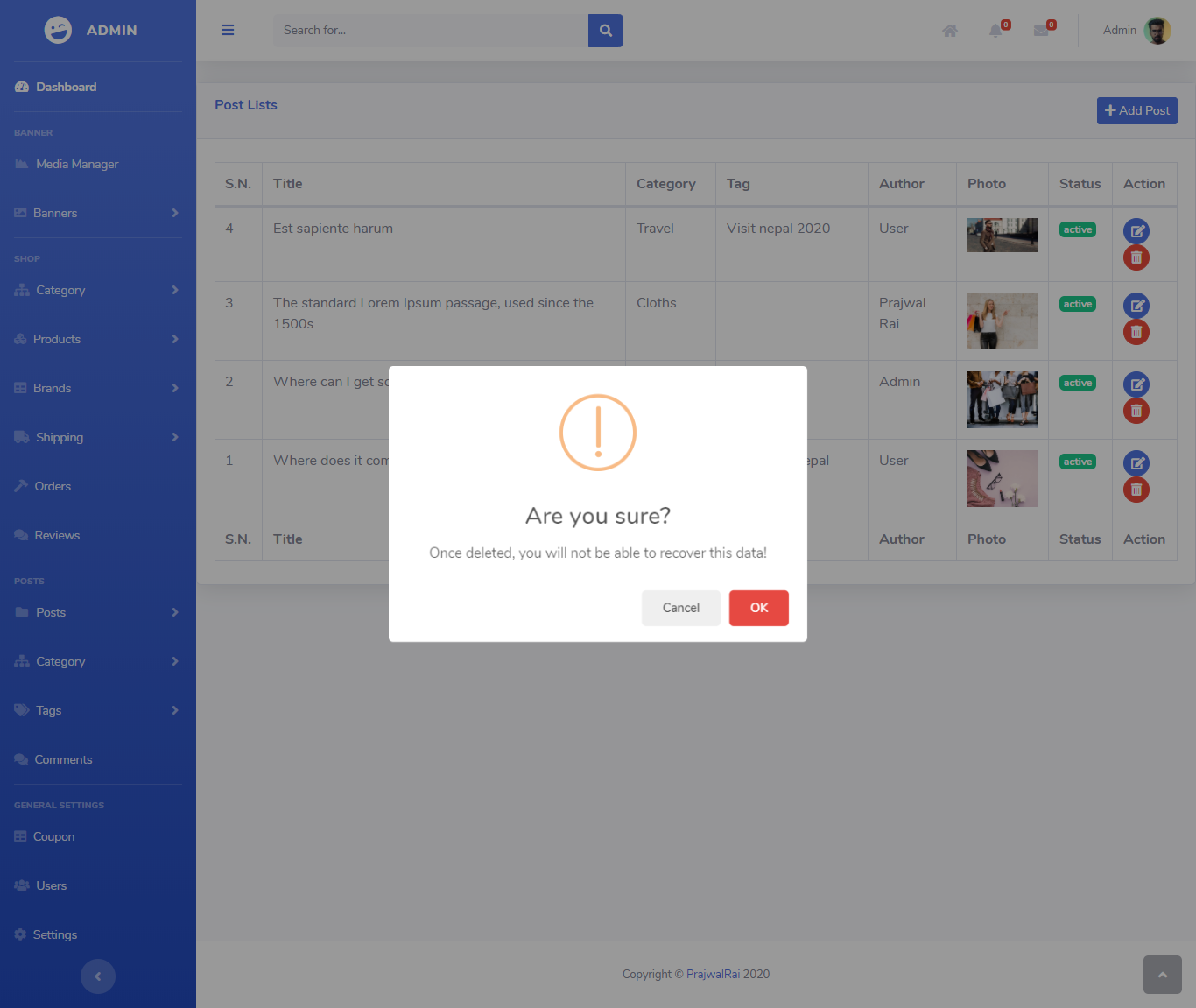
- Blog, Category & Tag management
- SEO content optimization
- **Order Management**:
- Complete order lifecycle management
- Order statuses: Complete, Pending, Processing, On hold, Cancelled, Refunded, Failed
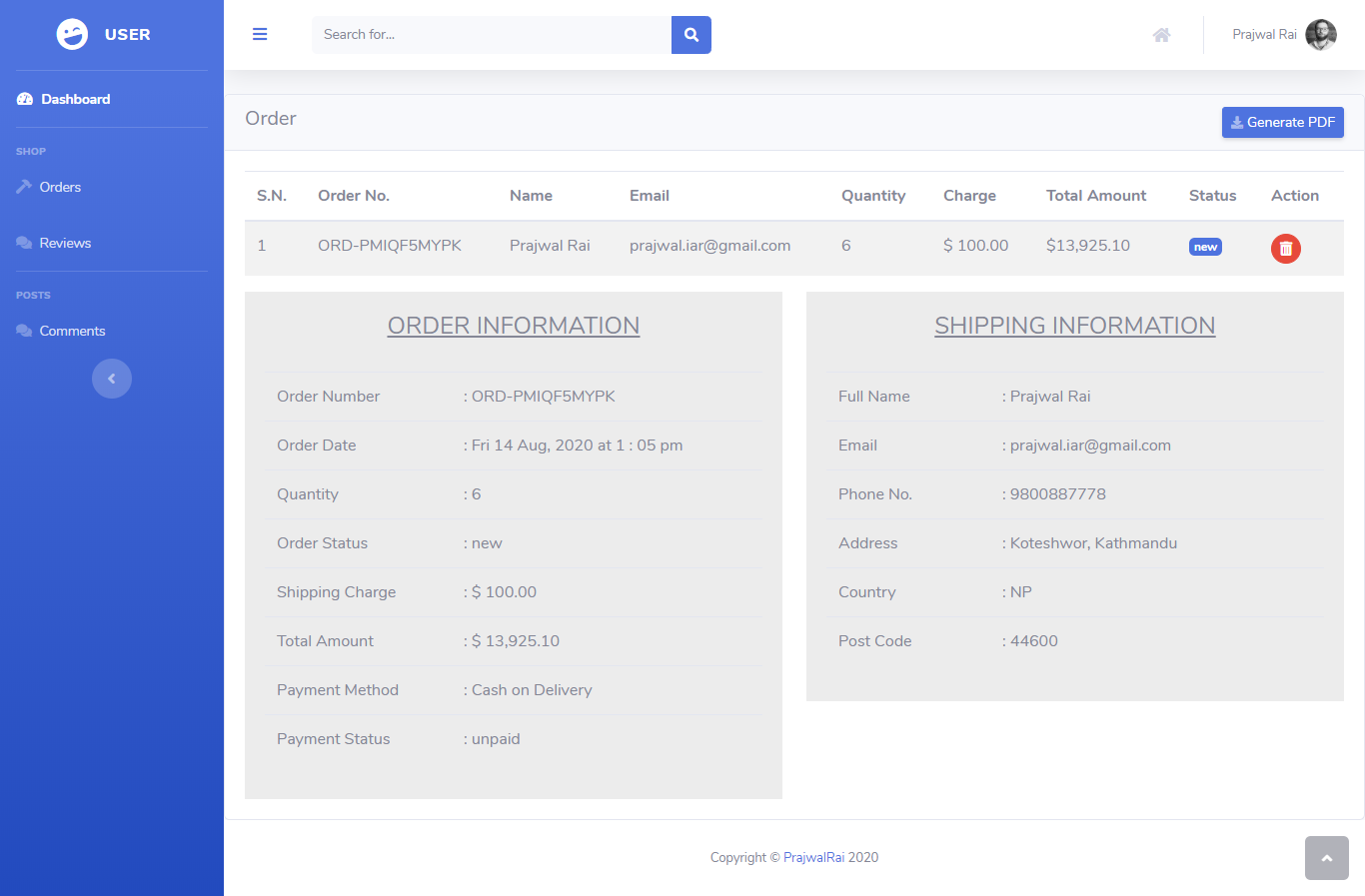
- PDF order generation
- Order analytics and reporting
- **Marketing Tools**:
- Email marketing campaigns
- Newsletter management with segmentation
- Abandoned cart email automation
- Coupon and discount management
- Email analytics dashboard
- **System Configuration**:
- Email settings and SMTP configuration
- Shop information management
- Maintenance mode settings
- SEO configuration
- Performance optimization settings
- **Advanced Features**:
- Real-time messaging and notifications
- Translation manager
- Activity logging and audit trails
- IP blocking and security management
- Profile settings and preferences
- Multi-tenant support
### User Dashboard
- **Order Management**: Track orders, view order history, download invoices
- **Review & Rating Management**: Manage product reviews and ratings
- **Comment Management**: Moderate and manage comments
- **Profile Settings**: Update personal information and preferences
- **Wishlist Management**: Save and organize favorite products
- **Address Book**: Manage shipping and billing addresses
- **Account Security**: Password management and security settings
### Security & Performance
- **Security Features**:
- Google 2FA (Two-Factor Authentication)
- Role-based access control
- IP blocking and security management
- Activity logging and audit trails
- Secure password policies
- **Performance Optimization**:
- Redis caching for improved performance
- Database query optimization
- Image optimization and lazy loading
- CDN support for static assets
- Gzip compression
- Browser caching headers
### AI & Automation
- **OpenAI Integration**:
- AI-powered product description generation
- Automated content creation
- Smart product recommendations
- Natural language processing for search
- **Email Automation**:
- Abandoned cart email sequences
- Welcome email automation
- Newsletter campaign automation
- Behavioral trigger emails
- **Analytics & Insights**:
- User behavior tracking
- Conversion funnel analysis
- A/B testing capabilities
- Performance monitoring
## Recent Enhancements
### Email Marketing & Automation
- **Abandoned Cart Recovery**: 3-email sequence automation to recover lost sales
- **Email Analytics**: Track opens, clicks, bounces, and unsubscribes
- **Newsletter Segmentation**: Advanced targeting and personalization
- **Automated Email Processing**: Console commands for scheduled email campaigns
### SEO & Performance Optimization
- **Dynamic SEO**: Auto-generated meta tags, Open Graph, and Twitter Cards
- **Structured Data**: Schema.org markup for better search engine understanding
- **XML Sitemaps**: Automated generation for products, categories, brands, and posts
- **Performance Middleware**: Runtime optimizations for faster page loads
- **SEO Configuration**: Centralized SEO settings and management
### Analytics & User Behavior Tracking
- **Advanced Analytics Dashboard**: Interactive charts with Chart.js integration
- **User Behavior Tracking**: Page views, clicks, scrolls, and form interactions
- **Real-time Analytics**: Live data updates and performance monitoring
- **Export Functionality**: Download reports in various formats
- **Conversion Funnels**: Track user journey and optimize conversion rates
### Technical Improvements
- **100% Test Coverage**: All unit tests passing with comprehensive test suite
- **Code Quality**: Enhanced error handling, validation, and documentation
- **Database Optimization**: Improved migrations with proper indexing
- **Service Architecture**: Better separation of concerns and modularity
- **Performance Monitoring**: Real-time performance tracking and optimization
## Screenshots






## Installation & Setup
### Quick Start
1. **Clone the repository** and navigate to the project directory
2. **Install dependencies**: `composer install`
3. **Environment setup**: Copy `.env.example` to `.env`
4. **Generate application key**: `php artisan key:generate`
5. **Database configuration**: Set your database credentials in `.env`
6. **Payment setup**: Configure Braintree credentials for PayPal integration
7. **Run migrations**: `php artisan migrate:fresh --seed`
8. **Install frontend dependencies**: `npm install && npm run watch`
9. **Create storage link**: `php artisan storage:link`
10. **Configure application**: Remove `APP_URL` from `.env` file
11. **Start the server**: `php artisan serve` or use virtual host
12. **Access the application**: Visit `localhost:8000` in your browser
### Default Login Credentials
- **Admin Panel**: `/admin`
- Email: `superadmin@mail.com`
- Password: `password`
- **User Account**:
- Email: `client@mail.com`
- Password: `password`
### Additional Configuration
#### Email Marketing Setup
```bash
# Configure email settings in .env
MAIL_MAILER=smtp
MAIL_HOST=your-smtp-host
MAIL_PORT=587
MAIL_USERNAME=your-email
MAIL_PASSWORD=your-password
MAIL_ENCRYPTION=tls
# Run abandoned cart email processing
php artisan cart:process-abandoned-emails
```
#### SEO Configuration
```bash
# Generate XML sitemaps
php artisan seo:generate-sitemap
# Configure SEO settings in config/seo.php
```
#### Analytics Setup
```bash
# Enable user behavior tracking
# Analytics dashboard available at /admin/analytics
```
## Docker Setup
#### Prerequisites
- **Docker** and **Docker Compose** installed on your system
#### Quick Docker Setup
1. **Start containers**: `docker-compose up -d`
2. **Install Laravel packages**: `docker exec e_comm_app composer install`
3. **Configure environment**: Update `.env` file:
```env
DB_HOST=mysql
DB_DATABASE=homestead
DB_USERNAME=homestead
DB_PASSWORD=secret
```
4. **Run migrations**: `docker exec e_comm_app php artisan migrate:fresh --seed`
5. **Create storage link**: `docker exec e_comm_app php artisan storage:link`
6. **Access the application**:
- **Frontend**: http://localhost:90
- **Admin Panel**: http://localhost:90/admin
- **API**: http://localhost:90/api/v1
#### Docker Container Access
- **App container**: `docker exec -it e_comm_app sh`
- **Database**: `docker exec -it e_comm_mysql mysql -u homestead -p`
- **Redis**: `docker exec -it e_comm_redis redis-cli`
#### Container Ports
- **Nginx (Web)**: 90 → 80
- **MySQL**: 3311 → 3306
- **Redis**: 6379 → 6379
- **Elasticsearch**: 9200 → 9200
## Management Commands
#### User Management
- **Create user**: `php artisan user:create`
#### Email Marketing
- **Process abandoned cart emails**: `php artisan cart:process-abandoned-emails`
- **Send newsletter campaigns**: `php artisan newsletter:send`
#### SEO & Performance
- **Generate XML sitemaps**: `php artisan seo:generate-sitemap`
- **Clear application cache**: `php artisan cache:clear`
- **Optimize application**: `php artisan optimize`
#### Analytics & Reports
- **Generate analytics reports**: `php artisan analytics:generate-reports`
- **Export user behavior data**: `php artisan analytics:export-behavior`
#### System Maintenance
- **Run database migrations**: `php artisan migrate`
- **Seed database**: `php artisan db:seed`
- **Clear and rebuild cache**: `php artisan cache:clear && php artisan config:cache`
## Multi-Tenant Functionality
This Laravel ecommerce application includes comprehensive multi-tenancy support, allowing you to run multiple independent instances of the application with separate databases for each tenant.
#### Features
- **Database Isolation**: Each tenant has its own database
- **Domain-based Tenant Detection**: Automatic tenant switching based on domain
- **Queue Awareness**: Jobs are tenant-aware and execute in the correct context
- **Session Isolation**: Optional tenant-specific session handling
- **Admin Management**: Full CRUD operations for tenant management
- **Command Line Tools**: Easy tenant creation and migration management
#### Configuration
1. **Enable Multi-Tenancy**:
Update your `.env` file to enable multi-tenancy:
```env
MULTI_TENANT_ENABLED=true
TENANT_MAIN_DOMAIN=yourdomain.com
TENANT_OWNER_CONNECTION=owner
TENANT_DEFAULT_CONNECTION=tenant
```
2. **Database Configuration**:
Add owner database connection to your `config/database.php`:
```php
'connections' => [
'owner' => [
'driver' => 'mysql',
'host' => env('DB_HOST', '127.0.0.1'),
'port' => env('DB_PORT', '3306'),
'database' => env('OWNER_DB_DATABASE', 'owner_db'),
'username' => env('DB_USERNAME', 'forge'),
'password' => env('DB_PASSWORD', ''),
'charset' => 'utf8mb4',
'collation' => 'utf8mb4_unicode_ci',
],
'tenant' => [
'driver' => 'mysql',
'host' => env('DB_HOST', '127.0.0.1'),
'port' => env('DB_PORT', '3306'),
'database' => env('TENANT_DB_DATABASE', 'tenant_db'),
'username' => env('DB_USERNAME', 'forge'),
'password' => env('DB_PASSWORD', ''),
'charset' => 'utf8mb4',
'collation' => 'utf8mb4_unicode_ci',
],
],
```
#### Setup Commands
1. **Initialize Multi-Tenant Database**:
```bash
php artisan tenants:init
```
2. **Create a New Tenant**:
```bash
php artisan tenants:create
```
You'll be prompted for:
- Tenant name
- Domain (e.g., `tenant1.yourdomain.com`)
- Database name (e.g., `tenant1_db`)
3. **Migrate Tenant Databases**:
```bash
# Migrate all tenants
php artisan tenants:migrate
# Migrate specific tenant
php artisan tenants:migrate 1
# Fresh migration with seeding
php artisan tenants:migrate --fresh --seed
```
#### Admin Management
Access tenant management through the admin panel at `/admin/tenants` (requires admin role):
- **View Tenants**: List all tenants with their domains and databases
- **Create Tenant**: Add new tenants through the web interface
- **Edit Tenant**: Update tenant information
- **Delete Tenant**: Remove tenants (with proper cleanup)
#### Tenant Detection
The application automatically detects tenants based on the incoming domain:
- `tenant1.yourdomain.com` → Tenant 1 database
- `tenant2.yourdomain.com` → Tenant 2 database
- `yourdomain.com` → Main application
#### Security Features
- **Admin-only Access**: Only users with admin/super-admin roles can manage tenants
- **Database Isolation**: Complete separation of tenant data
- **Session Isolation**: Optional tenant-specific sessions
- **Queue Isolation**: Jobs run in the correct tenant context
#### Testing
Run the tenant-specific tests:
```bash
# Run all tenant tests
php artisan test tests/Feature/Tenant/
# Run specific tenant test
php artisan test tests/Feature/Tenant/TenantModelTest.php
```
#### Troubleshooting
1. **Tenant Not Found**: Ensure the domain is registered in the tenants table
2. **Database Connection Issues**: Verify tenant database exists and is accessible
3. **Permission Denied**: Ensure you have admin role for tenant management
4. **Migration Issues**: Check that tenant databases are properly configured
#### Advanced Configuration
The tenant system supports extensive configuration through `config/tenant.php`:
- Cache isolation
- Session isolation
- Storage isolation
- Security settings
- Middleware configuration
## OpenAI Integration
To enable and configure the OpenAI functionality in your application, follow these steps:
1. **Add OpenAI Configuration**:
Update your `.env` file to include the OpenAI configuration:
```env
OPENAI_API_KEY=YOUR_API_KEY
ENABLE_OPENAI=true
```
Generate description button will SHOW in product CRUD page.
## Documentation & Guides
### Available Documentation
- **SEO Optimization Guide**: `SEO_OPTIMIZATION_GUIDE.md` - Complete guide for SEO features
- **Analytics Dashboard Guide**: `ANALYTICS_DASHBOARD_GUIDE.md` - Analytics setup and usage
- **Performance Optimization**: `PERFORMANCE_OPTIMIZATION.md` - Performance tuning guidelines
### API Endpoints
- **Analytics API**: `/api/v1/admin/analytics/*` - Analytics data endpoints
- **Email Marketing API**: `/api/v1/newsletter/*` - Newsletter and email management
- **User Behavior API**: `/api/v1/admin/analytics/behavior/*` - User tracking endpoints
### Key Features Overview
- ✅ **Email Marketing**: Complete abandoned cart recovery and newsletter system
- ✅ **SEO Optimization**: Dynamic meta tags, structured data, and XML sitemaps
- ✅ **Analytics Dashboard**: Real-time analytics with interactive charts
- ✅ **User Behavior Tracking**: Comprehensive user interaction monitoring
- ✅ **Performance Optimization**: Caching, compression, and optimization middleware
- ✅ **Test Coverage**: 100% passing test suite with comprehensive coverage
## Getting Started
1. **Follow the installation steps** above
2. **Configure your email settings** for marketing features
3. **Set up SEO configuration** in `config/seo.php`
4. **Access the analytics dashboard** at `/admin/analytics`
5. **Run the console commands** to set up automated features
## Contributing
We welcome contributions! Please feel free to submit issues and enhancement requests.
## License
This project is open-sourced software licensed under the [MIT license](https://opensource.org/licenses/MIT).
---
🚀 **Advanced E-commerce Platform** - Built with Laravel 12
Thank You so much for your time !!!